Dining room & guest service
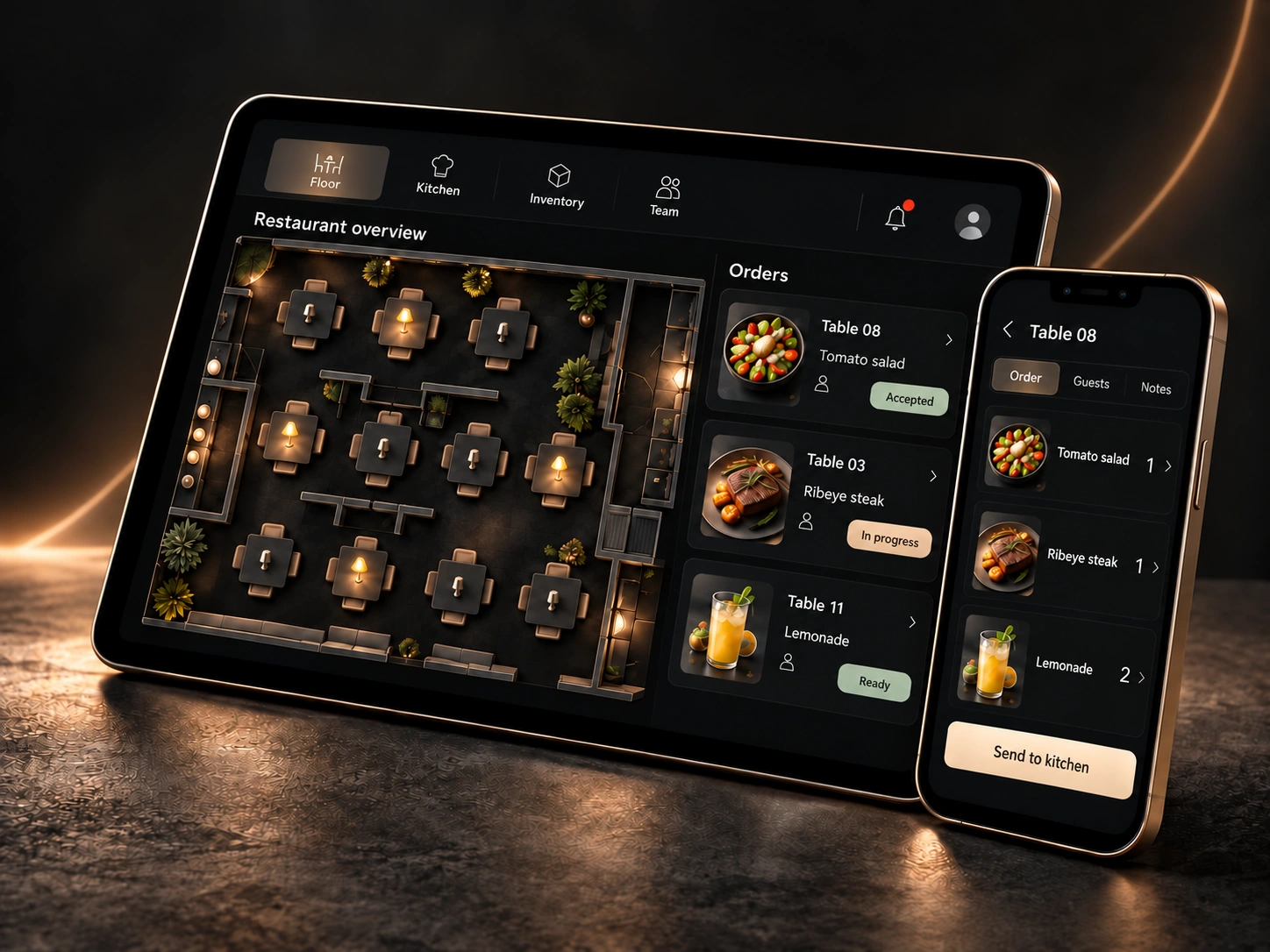
Menu and ordering for guests. Seating and service for the restaurant team.
 Try the demo
A PLATFORM FOR RESTAURANTS
Orders, kitchen, stock, costs and team — in one system.
Product in development · demo interfaces and data
ONE SYSTEM
Menu and ordering for guests. Seating and service for the restaurant team.
Preparation, inventory and ingredient costs — connected operations.
Shifts, responsibility and reports — the basis for management decisions.
INTERACTIVE OVERVIEW
Switch modules and try a few actions with fictional data. This is a concept demo, not a restaurant’s operational workspace.
DEMODEMO
| Product | Calculated stock | Actual count | Difference |
|---|---|---|---|
| Tomatoes | 12 kg | 12 kg | 0 kg |
| Lemons | 4 kg | 4 kg | 0 kg |
Change the lemon count. The example will show a difference; no stock operation is posted.
All data is fictional. Actions change only the demonstration example.
ONE SYSTEM
24 planned modules: from inventory and costs to staff and management reports. Explore simplified examples above and the order journey on its own page.
Inventory, costs, staff and data for management decisions.
Stock by warehouse and lot, transfers, consumption and write-offs. Actual counts are reconciled with calculated balances.
Expense categories, evidence, approvals and budget versus actual. Financial results account for sales and cost coverage.
Recipe versions, prepared components, yield and losses. Calculated and actual consumption are separate data.
Access, availability, shifts, replacements and timesheets. Assigned areas and handovers retain responsibility history.
Sales, purchasing, stock, costs, shifts and service quality. Each metric shows its source, coverage and freshness.
Heatmaps, period comparisons and area workload. A manager decides whether to apply explainable proposals.
Suppliers, requirements, purchase orders and actual deliveries. Partial deliveries, packaging and discrepancies remain visible.
Invoice originals, line items, matching and delivery reconciliation. QR detail needs source validation; import is not stock receipt.
Opening, closing, cleaning and preparation. An assignee, deadline, result and completion confirmation.
Summaries of permitted restaurants and comparison of compatible data. Each location retains its own operational records.
Public menu and ordering form a separate module. Internal profiles and consent are a different process.
A separate module: restaurant page, menu, options and QR/NFC ordering. Guests see permitted statuses of their own orders.
Profiles, visit history, preferences and consent. Loyalty is configured separately; an anonymous order does not identify a guest.
Seating, reservations, order acceptance, kitchen, bar and service.
Areas, locations, seating, requests and service handovers. Layout and responsibility history is retained.
Capacity, time slots, confirmation, rescheduling and waiting list. A reservation links to a visit when guests are seated.
Restaurant acceptance, items, changes and cancellations. Try the local demo from guest to service.
Interactive demoStations, routing and readiness per item. Service, preparation and payment have separate states.
Access, mobile tools, integrations and reliability.
A restaurant workspace, roles, permissions and audit history. Restaurant data stays separate.
Android and iPhone/iPad: scanning, remaining quantities and QR labels. Reprinting preserves original dates and expiry.
Separate POS adapters, mappings and exchange history. Capabilities are verified for each POS.
Requesting a bill and confirmed payment are separate events. Online payment and fiscal links require connections.
Assignee, channel, delivery and escalation. Guest messages respect consent and recipient language.
Enabled modules, access and support with an audit trail. Prices and commercial packages are not yet defined.
Planned order and kitchen operation without internet when LAN and server are available. Cloud shows the age of the confirmed copy.
Catalog import, area, role and route setup. Scanner, printer and scenario checks before launch.
A CONNECTED FLOW
The guest sends an order. The restaurant accepts it. Kitchen and bar prepare their items. Staff mark them served. One scenario, different roles.
Try the demo
Interactive demo
Follow the journey from guest to service — without signing up or making real transactions.
Try the demo